


Transform the learning experience with kid-smart technology
Kid-smart Devices
IT Management

Student Experience

Introduction
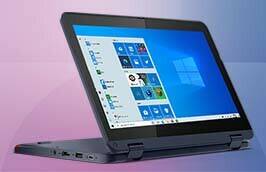
Create secure, distraction-free online learning for K-8 students, with Lenovo devices and Windows 11 SE.

1. Steiner, Elizabeth, Doan, Sy, et. al. (2022, January) Restoring Teacher and Principal Well-Being is an Essential Step for Rebuilding Schools. Rand Corporation, p. 8. Source.
66%
About two-thirds of teachers reported taking on extra responsibilities in a post-pandemic environment.1
Microsoft offers extensive resources for school leaders and educators, including a resource center with nearly 50 education-specific articles and on-demand training.

Lenovo is the world’s #1 education PC provider, and
the benefits of Windows 11 SE
are amplified on Lenovo education devices.


Our common goal is to help teachers and students accomplish more together — with cost-effective technology that’s optimized for a cloud-first world.
Why Lenovo and Microsoft?
As expert partners in education, Lenovo and Microsoft are continuously looking for ways to help schools meet the needs of the next generation — with streamlined solutions that nurture student access, attention, and curiosity. Lenovo devices with Windows 11 SE help students focus on learning while preserving valuable class time for instruction.
Amidst the extra workload, teachers must now engage the youngest learners with secure, distraction-free learning experiences. And cloud-first devices must be both reliable and affordable enough for schools’ limited IT budgets. Enter Lenovo and Microsoft.
Digital learning is more important than ever for today’s students, who need technology skills to succeed in school — and in life. But the pandemic added even more pressure for schools to provide remote and blended learning, from almost anywhere.
Introduction

2. Najarro, Ileana. (2022, February 8) A Tenuous Balance: Supporting Students While Pushing Their Learning Recovery. Education Week. Source.
3. Lieberman, Mark. (2021, April 20) Most Students Now Have Home Internet Access. But What About Those Who Don’t? Education Week. Source
68%
Sixty-eight percent of teachers cite low engagement as the largest obstacle to students reaching grade level.2
Key features for K-8 schools


Creating a focused environment for younger students
Boosting outcomes with cloud-first technology
Cloud apps are more important than ever for K-8 learning, but there’s a big difference in using cloud-only versus cloud-first technology. Cloud-only devices require an internet connection. If a connection goes down, the software stops functioning, and data created within that software is lost. In contrast, cloud-first devices offer the ability to work offline, because while the majority of students have adequate internet access at home, there are 9-12 million students who don’t.3 Offline applications help students to achieve their potential even with sporadic connectivity.
Lenovo devices with Windows 11 SE enhance student independence with easy, one-click access to mic controls and sharing in Microsoft Teams. Schools can choose from six categories of curated apps on Windows 11 SE, including content-filtering apps, test-taking solutions, accessibility apps, apps that facilitate classroom communication, essential IT manageability apps, and browsers. Everything is protected by layers of security for more peace of mind.
Building a more dynamic, inclusive classroom
Lenovo devices with Windows 11 SE include assistive technologies at no extra cost to easily support different learning styles. Students can turn ideas into text with voice typing, access files and apps with voice commands, write with a digital pen in almost any app, and perform quick actions with an adaptive touchscreen. The browser also comes with built-in assistive learning tools — such as Immersive Reader and Read Aloud — as well as tabs for organizing research, apps and files.
As the world grows more digital, K-8 educators need a curated, distraction-free computing environment that keeps students engaged and focused on learning. The youngest learners require easy access to educational apps and simple sign-ins — all designed to free up teachers from troubleshooting.
Lenovo devices with Windows 11 SE are built to optimize student experiences in the modern classroom. In fact, Windows 11 SE offers the same security, privacy and remote learning benefits of Windows 11, but with a simplified interface that’s tuned for education.
Student Experience
4. Preliminary Speak Up 2021-2022 Research Project Findings. (2021, October – 2022, January) Project Tomorrow. Source.
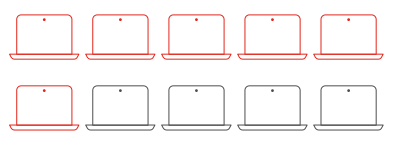
Six out of ten technology leaders believe the biggest challenge in making a decision for classroom digital content is evaluating its quality.4

Microsoft and Lenovo are committed to affordability in cloud-first devices, combining management capabilities with full versions of Microsoft
Office and Minecraft: Education Edition.

Windows 11 SE is based
on the same foundation
as Windows 10, so it’s consistent for IT and supports your existing
IT management tools
and processes.


Lenovo devices with Microsoft Windows 11 SE provide built-in security for virtual learning, including hardware-based isolation, encryption and malware protection
Why Lenovo and Microsoft?


Simplify IT management in a cloud-first
learning environment
With Lenovo devices and Microsoft Windows 11 SE, K-8 IT leaders can scale their digital learning initiatives via the cloud. The integrated platform makes it easier to deploy, secure and manage student devices, using the same IT management tools your staff is already comfortable with. To help schools maximize their technology budgets, Lenovo and Microsoft focus on embedding the right productivity, manageability and security features into our education solutions — so your IT teams can deliver better learning experiences all year long.
Protecting schools from cyber threats
Cybersecurity attacks on schools and colleges increased dramatically during the pandemic, and there are no signs of them slowing down. Lenovo devices with Windows 11 SE are secure by design, with chip-to-cloud security features that help schools fight back against ever-growing threats. Built-in security ensures that advanced protections are ready without IT teams having to configure anything.
Microsoft has increased the security baseline by requiring a security chip (TPM2) and ensuring that privacy controls are turned on by default to protect from malware and sophisticated attacks — from the device to the cloud.
Centralizing control of hybrid learning
Lenovo devices with Windows 11 SE are built for the modern classroom, backed by cloud-based management that helps manage content and access.
IT administrators can wipe and reconfigure Windows 11 SE devices remotely using Powerwash (through Intune for Education, which is included with Microsoft 365). Since Windows 11 SE has the same core as Windows 10, IT teams can use their same trusted, easy-to-use management tools. In addition, Windows 11 SE supports remote deployment of PCs via the cloud, in compliance with district policies. Windows AutoPilot cloud-based provisioning technology allows for easy pre-configuration of new devices for use throughout the school year.
While the cloud has delivered efficiencies for years, school IT teams have just recently begun to reap its rewards. The pandemic turned everything on its head, and now, the demands for virtual learning are greater than ever. Today’s IT teams need devices that they can easily repair, repurpose and upgrade — even for remote students. At the same time, they must keep student and school data safe, especially if devices are damaged or lost. Cloud-based management empowers IT to do more with less.
IT Management
5. Kane, Thomas. (2022, May 22) Kids Are Far, Far Behind in School. The Atlantic. Source.
Lenovo devices with Windows 11 SE enhance student independence with easy, one-click access to mic controls and sharing in Microsoft Teams. Schools can choose from six categories of curated apps on Windows 11 SE, including content-filtering apps, test-taking solutions, accessibility apps, apps that facilitate classroom communication, essential IT manageability apps, and browsers. Everything is protected by layers of security for more peace of mind.
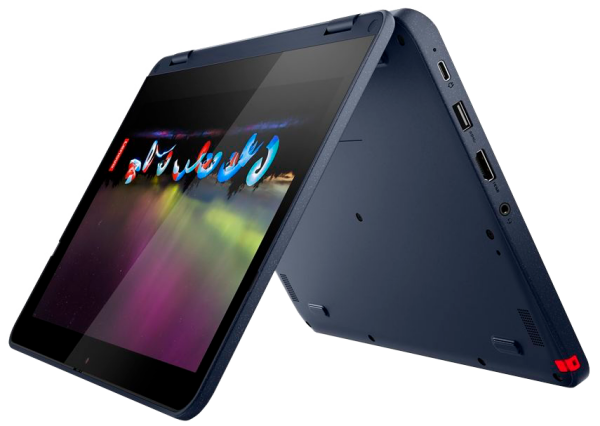
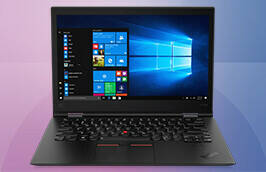
Lenovo 500w Gen 3
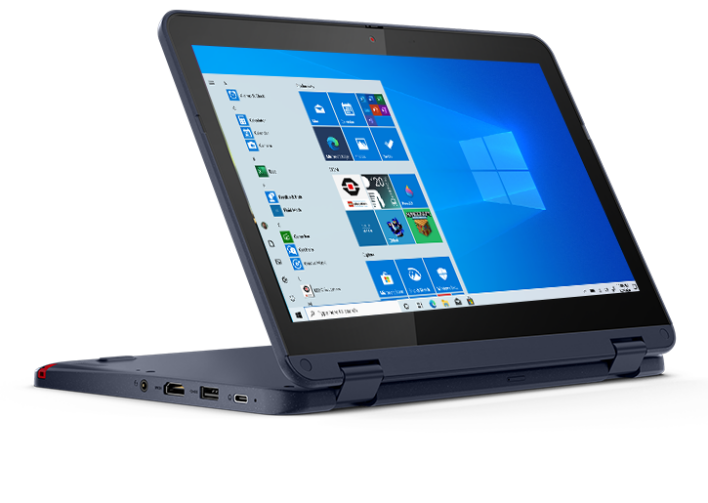
Lenovo 300w Gen 3
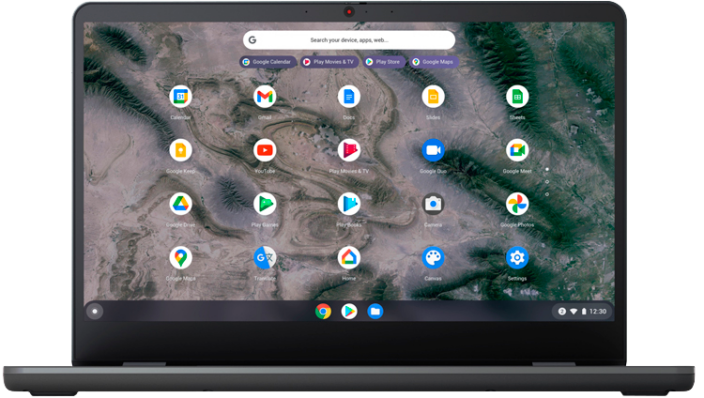
Lenovo 14w Gen 2
Kid-smart Devices
Kid-smart computing, designed for education
More than ever, K-8 students need easy-to-use, secure learning tools optimized for a cloud-first environment. The right technology can help students unleash their creativity, collaborate securely, and explore new topics in more meaningful ways — from anywhere. Meanwhile, school IT teams need the right tools to keep devices working reliably all year long. In many cases, cloud-only devices simply fall short of meeting students’ needs, because they limit learning to locations with internet connections.
Tough technology for
go-anywhere learning
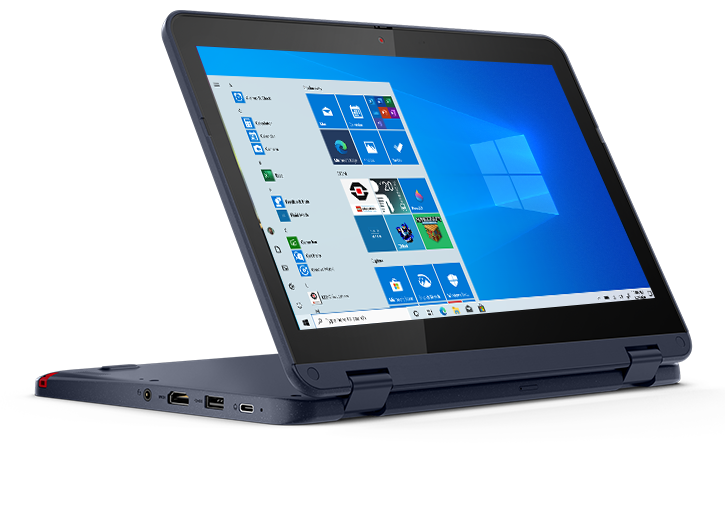
Lenovo education-first devices are built to take a tumble, with hardware designed to MIL-SPEC and Lenovo EDU Spec standards. The rugged features include 360-degree rubber bumpers, Corning® Gorilla® Glass displays, reinforced ports and hinges, mechanically anchored keys, and impact-tested touchpads. Plus, water-resistant keyboards mean that even big spills are no match for these learning machines.
Built-in accessibility for curious minds
Lenovo devices with Windows 11 SE are designed to meet different learning, vision, hearing, and mobility needs, at no extra cost. It’s important to note that less-privileged schools that remained remote in 2020-2021 lost the equivalent of 22 weeks of in-person instruction5, and blended learning still presents challenges today. Fortunately, tools like Immersive Reader and Read Aloud help students of all learning abilities make the most of their lessons. Windows 11 SE is optimized for smaller form factors, which means that even smaller screens can deliver engaging interactions.
Advanced security for safer
learning experiences
For added peace of mind, Lenovo can include Absolute® cybersecurity software and SentinelOne® endpoint protection to help defend against emerging threats. Microsoft Intune for Education, a cloud-based mobile device management (MDM) service, helps IT ensure that the same security policies are applied to all devices. In addition, Windows 11 SE supports simple, integrated remote device resets — so IT can easily maintain a secure and trusted environment.
Three Devices that Give
K-8 Schools a Powerful Edge
Click on the buttons to learn more.

© 2023 Lenovo. All rights reserved. August 2022. Windows®, Office®, Word®, Excel®, PowerPoint® and Edge® are all registered trademarks of Microsoft.
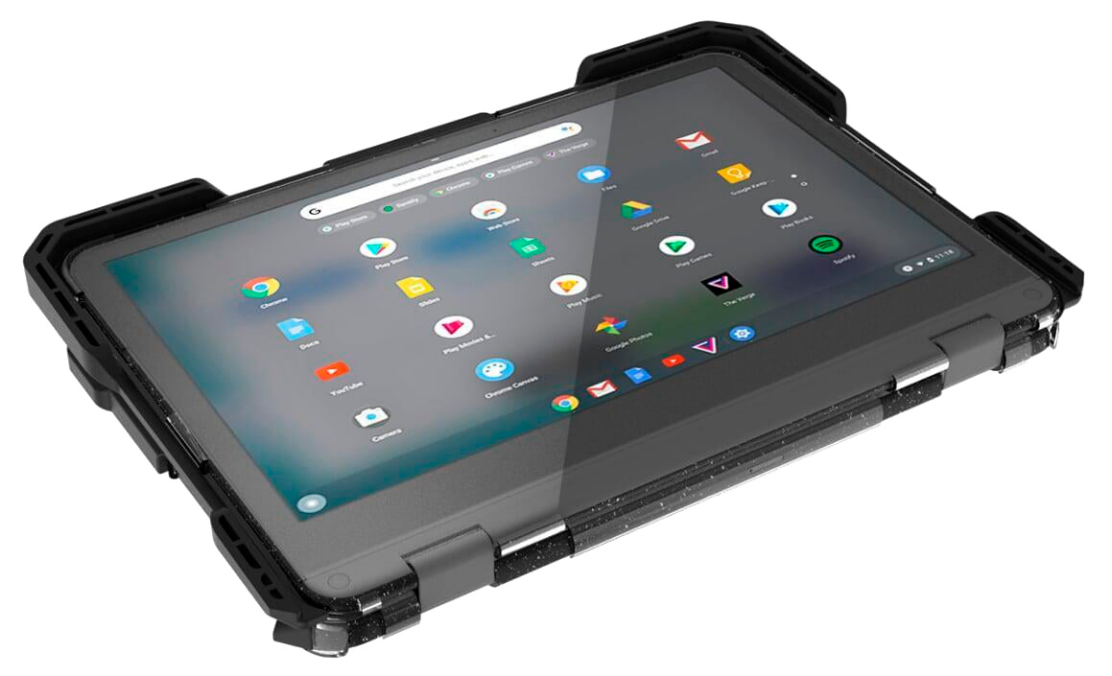
Explore cloud-first devices for your school
Equip your K-8 schools with confidence. Lenovo Education devices running Windows 11 SE help facilitate distraction- free environments, learning accessibility and better education outcomes — without sacrificing manageability or security.
To find the right solutions for your students’ needs, visit:
Lenovo.com/KidSmartTechnology
Ready to Learn More?